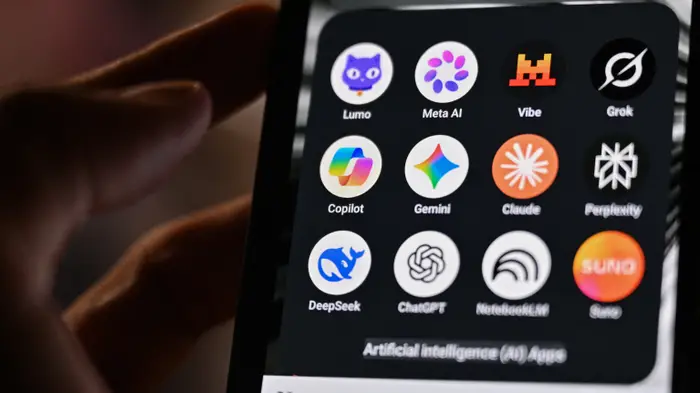
AI chatbots have quickly become part of everyday life. People use ChatGPT, Gemini, Claude and other AI tools to write emails, prepare documents, brainstorm business ideas, explain difficult topics and even get health or financial guidance.
But there is one habit every AI user should develop: think before you paste.
A chatbot may feel like a private conversation because you can ask questions in a natural, human-like way. However, the information you enter can be processed, stored or used according to the platform’s data policies and your account settings. A recent analysis of AI privacy policies highlighted concerns about how conversations may be retained and used to improve AI systems.
That does not mean you should stop using AI. It means you should learn what information is better kept out of your prompts.
Here are five types of information you should think twice about sharing with an AI chatbot.
1. Your Personal Identification Information
Avoid putting sensitive personal information into an AI chatbot unless there is a clear reason and you understand how that service handles the data.
This includes things such as:
- Passport numbers
- National ID numbers
- Driver’s licence information
- Full home address
- Personal phone numbers
- Email addresses
- Date of birth
- Bank account numbers
- Other information that can directly identify you
For African users, this also means being careful with documents such as national identification cards, passports, voter registration information and other government-issued documents.
If you want AI to help improve your CV, for example, you can remove your phone number, address, email and identification details first. The chatbot can still help you improve the wording and structure without seeing all your personal information.
Sharing identifying information unnecessarily can increase the risk of privacy problems, phishing and identity-related fraud.
2. Private Details About Your Personal Life
AI chatbots are designed to communicate in a way that feels natural. That can make it easy to forget that you are interacting with software rather than a trusted friend, lawyer or therapist.
People may start sharing details about:
- Family problems
- Relationship issues
- Private conversations
- Personal conflicts
- Emotional struggles
- Information about other people
- Details about their personal habits or behaviour
The problem is not simply that you are asking an AI for advice. The bigger issue is how much identifying information you attach to the story.
If you need help thinking through a difficult situation, consider keeping the details general. Instead of providing someone’s real name, workplace, phone number and exact location, describe the situation without revealing their identity.
This gives the AI enough context to help without unnecessarily exposing someone’s private life.
3. Medical Records and Sensitive Health Information
AI can be useful for explaining medical terms, preparing questions for a doctor or helping you understand general health information. But that does not mean you should upload your complete medical history.
Avoid sharing sensitive information such as:
- Medical records
- Laboratory results containing your identity
- Prescription information linked to your name
- Hospital records
- Insurance details
- Patient identification numbers
- Photos of medical documents containing personal information
There is also another important issue: AI can make mistakes.
A chatbot may explain a medical condition in simple language, but its response should not automatically be treated as a diagnosis or a replacement for a qualified healthcare professional. Research cited by the original report also highlights concerns around both privacy and accuracy when people use AI for health-related questions.
If you want AI to explain a medical document, remove your name, address, patient number and other identifying information first whenever possible.
4. Confidential Business or Work Information
This is particularly important for entrepreneurs, employees, developers and business owners.
AI can help you write reports, analyse ideas, improve presentations and even review code. But you should be careful when the material belongs to your employer, client or organisation.
Do not casually paste:
- Confidential company reports
- Client information
- Internal financial records
- Non-public business strategies
- Passwords and access credentials
- Private contracts
- Proprietary source code
- Information covered by an NDA
- Customer databases
Imagine a company employee copying an entire confidential client report into an AI chatbot just to make the writing sound better. That could create a privacy, contractual or regulatory problem.
The safest approach is to remove sensitive information before using AI or use an AI service and account specifically designed for business use, with appropriate data protections.
For example, OpenAI says its business offerings, including ChatGPT Business, Enterprise and its API platform, do not use customer inputs and outputs to train its models by default.
5. Banking and Financial Information
Your financial information should be treated as highly sensitive.
Avoid uploading or pasting:
- Bank account details
- Credit or debit card numbers
- PINs
- Mobile money account information
- Online banking credentials
- Investment account information
- Payslips containing sensitive details
- Tax documents
- Financial statements containing personal identifiers
This is especially important as mobile money and digital financial services continue to grow across Africa.
You may ask an AI chatbot to explain how budgeting works or help you create a savings plan. You do not need to give it your actual account number, PIN or complete financial statement to do that.
If you want help analysing your spending, remove names, account numbers and other identifying information first.
What If You Already Shared Sensitive Information?
Don’t panic.
If you have already pasted sensitive information into an AI chatbot, take steps to reduce your exposure.
First, check the platform’s privacy and data settings. Depending on the service, you may be able to delete conversations, turn off the use of chats for model improvement or use a temporary/private chat mode.
For example, ChatGPT currently allows users to turn off “Improve the model for everyone” under Settings → Data Controls. When the setting is disabled, new conversations are not used to train ChatGPT. OpenAI also provides Temporary Chat, which is not saved in chat history or used to improve its models and is deleted from its systems after 30 days, subject to safety requirements.
If you accidentally shared something such as a password, banking credential or access code, changing that credential immediately is more important than simply deleting the conversation.
A Simple Rule: Don’t Treat AI Like Your Private Diary
One of the easiest ways to protect yourself is to adopt a simple rule:
If you would not comfortably post the information in a public or semi-public space, think carefully before putting it into an AI chatbot.
This does not mean AI is unsafe or that you should avoid using it. AI tools can be extremely useful for students, entrepreneurs, developers, businesses and professionals.
The goal is to use them intelligently.
Before sending a prompt, ask yourself:
“Does the AI really need this information to answer my question?”
If the answer is no, remove it.
You can replace real names with descriptions, remove account numbers, hide addresses and generalise sensitive situations while keeping enough context for the AI to be useful.
For example, instead of saying:
“My client, John Doe, from [specific company], sent me this confidential report…”
You could say:
“A client in the healthcare sector sent me a confidential report. Help me create a general structure for analysing it.”
The second approach gives the AI useful context without unnecessarily exposing someone’s identity or confidential information.
AI Is Powerful — But Privacy Still Matters
The rapid growth of AI means more people are trusting chatbots with information they previously would have kept private. That makes digital privacy an increasingly important skill.
AI companies are also introducing privacy controls. OpenAI, for example, provides controls for training, memory, chat deletion and temporary conversations, while business products have different data-use policies.
But privacy should not depend entirely on the technology.
Users also have a responsibility to think carefully about what they share.
For people across Africa who are increasingly using AI for work, education, business and everyday tasks, the message is simple: use AI, but don’t give it information it doesn’t need.
Your passport number, banking credentials, private business documents and sensitive personal information are valuable. Keep them out of your prompts whenever possible.
The smartest AI user is not the person who tells a chatbot everything. It is the person who knows what to share, what to remove and when to keep something private.
Source: This article was independently rewritten and updated for Xpert Insights based on reporting originally published by BuzzFeed/HuffPost on July 25, 2026, with additional verification from OpenAI’s current privacy and data-control documentation.